DALL-E (by OpenAI)
Built into ChatGPT Plus, DALL-E is one of the easiest image generators to use. Just describe what you want in a ChatGPT conversation and it will create the image right there. Great for beginners because the interface is familiar.
Guide 04
Create visual content with nothing more than a text description.
The Basics
AI image generators let you create pictures by describing what you want in words. You type something like "a cozy coffee shop on a rainy evening, watercolor style" and the AI creates an original image based on your description. No drawing skills required.
These tools learned from millions of existing images to understand concepts like "sunset," "watercolor," "portrait," and "futuristic." They combine these learned concepts to create something new based on your words.
Your Prompt
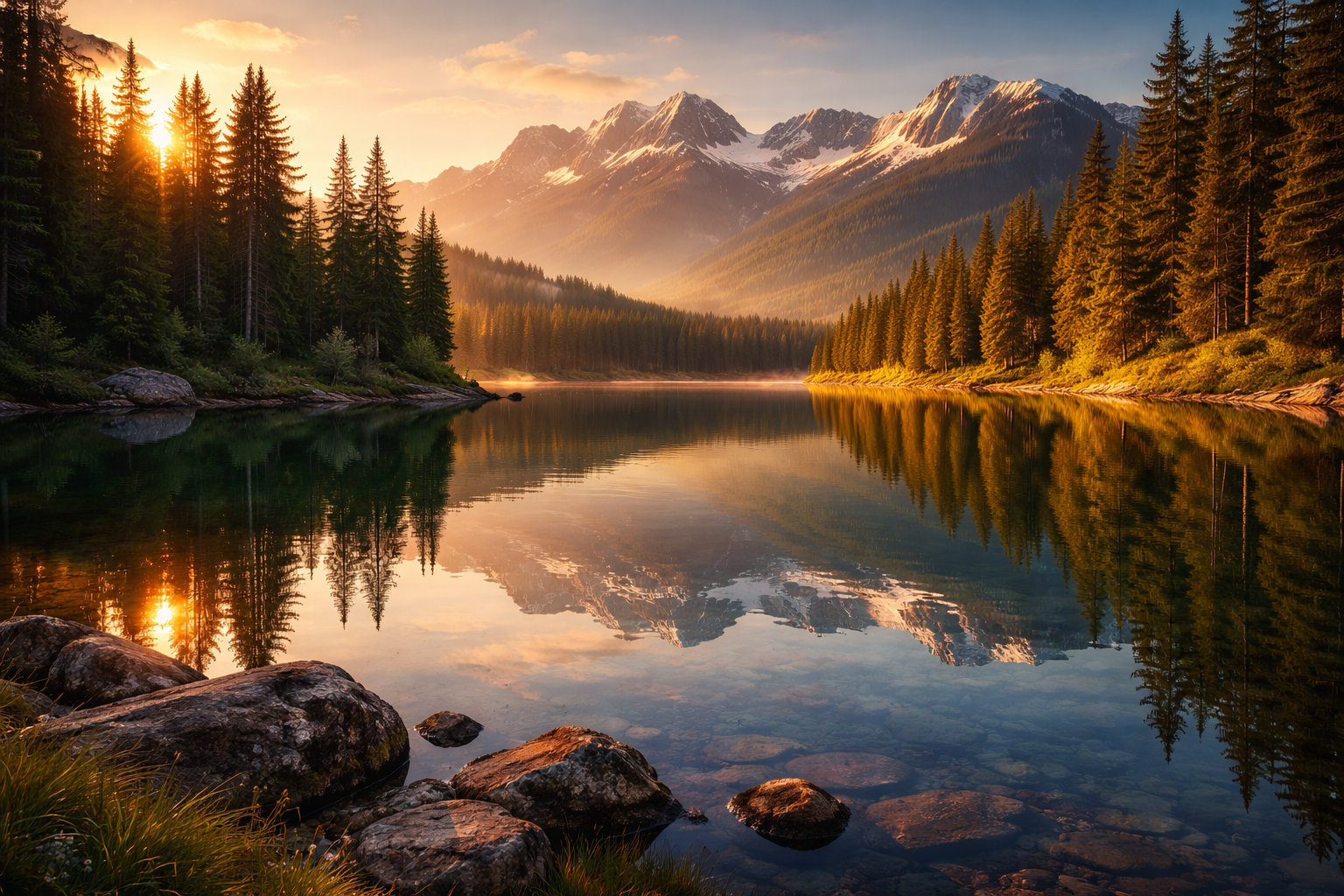
"A serene mountain lake at golden hour, pine trees reflected in still water, soft warm light, photorealistic"
AI Interprets
Generated Image
Where to Start
Built into ChatGPT Plus, DALL-E is one of the easiest image generators to use. Just describe what you want in a ChatGPT conversation and it will create the image right there. Great for beginners because the interface is familiar.
Known for producing artistic, high-quality images. Midjourney tends to create visually stunning results with a more artistic feel. It runs through Discord, which can take a few minutes to set up.
Made by Adobe, the company behind Photoshop. Firefly is designed for commercial use and integrates with other Adobe tools. It is specifically trained to be safe for business projects.
If you already use Canva for design, its built-in AI image generator lets you create images without leaving the platform. Simply describe what you need and drag it right into your design.
The Art of Description
The quality of your image depends heavily on how you describe it. Here is a simple formula that works well.
Start with what the image shows, add descriptive details, then specify an art style. Example: "A golden retriever wearing a party hat, sitting at a birthday table with a cake, bright cheerful colors, digital illustration style."
Words like "warm lighting," "dramatic shadows," "soft and dreamy," or "bright and vibrant" dramatically change the result. Lighting is one of the most powerful details you can include.
Many tools let you say what to exclude. If your landscape keeps including people, add "no people" to your prompt. Being clear about exclusions saves time on regeneration.
Quick tip: Start simple and add detail gradually. A prompt like "a cat" gives you a basic cat image. Then try "a fluffy orange cat sleeping on a windowsill, afternoon sunlight, oil painting style." Notice how each added detail shapes the result.
Real Applications
Be Responsible
Avoid asking AI to copy a specific living artist's style by name. AI image generators were trained on existing artwork, and the ethics around this are still being debated. When in doubt, describe the style you want rather than naming an artist.
AI-generated images can look very realistic. Never use them to create fake news, impersonate real people, or deceive others. Always be transparent that an image was AI-generated when it matters.
Different tools have different rules about commercial use. If you plan to sell or publish AI-generated images, read the terms of service for the tool you are using. Some require attribution or have restrictions on commercial use.
Test what you've learned with this interactive challenge
Try describing a simple scene and watch AI bring it to life. The more you experiment, the better you will get at crafting the perfect prompt.